User guide

Follow step-by-step lessons to build your first XR app and run it on a device.

  • About 15 min
  • No headset needed

Build live captions in your browser

Load the template, deploy your app, and see your own speech appear as captions.

Build your first app

You'll need an approved account, a project you own, and a computer with a microphone.

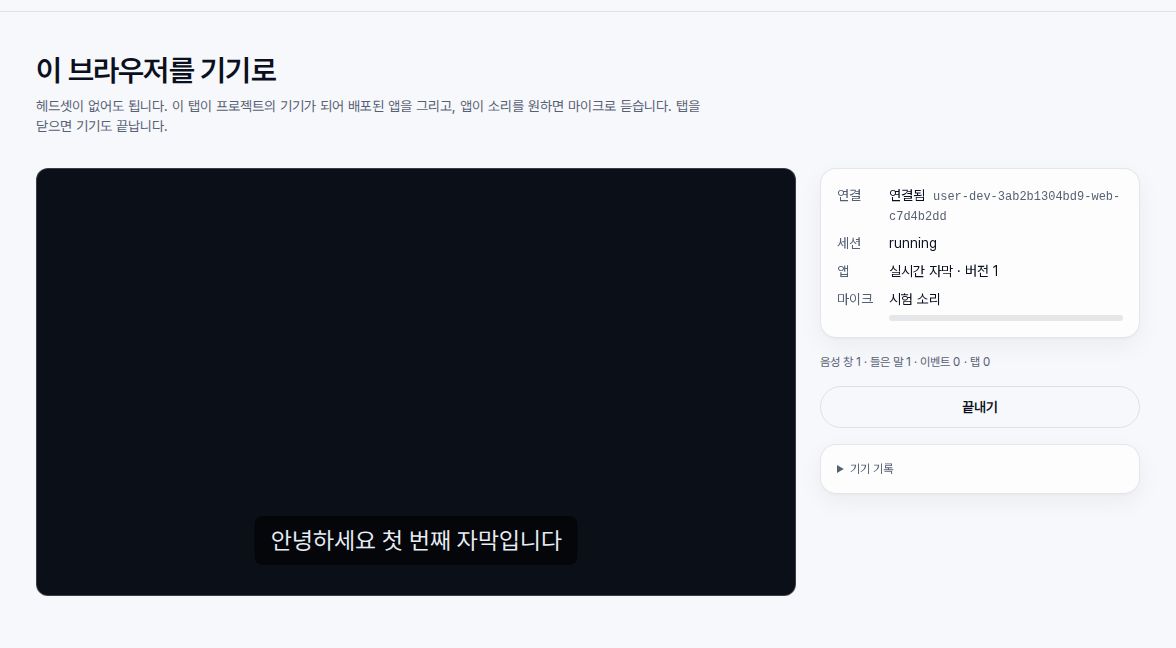
A sample caption in Korean at the bottom of the browser device screen
Live captions running in a browser (Korean example)

Available courses

Track 1 · 2 h 40 min, one line of calculation

Basics

Put results on the screen and lay it out. Change it with presses, speech and a clock; use parts and sounds; see it on the web device and a headset.

  1. 1-1Results on the screen · Korean15 min
  2. 1-2Laying out the screen · Korean15 min
  3. 1-3A screen that changes on a press · Korean15 min
  4. 1-4Flow tools and calculations · Korean20 min
  5. 1-5Test on the web device, deploy to a Quest · Korean15 min
  6. 1-6How the 3D space differs · Korean15 min
  7. 1-7Calculating with code · Korean15 min
  8. 1-8Remembering a value · Korean15 min
  9. 1-9Building screens with parts · Korean15 min
  10. 1-10Sounds and recording · Korean20 min
Upcoming courses
  • Further

    Camera and space, sharing bundled services, previewing before deploying, glasses and headsets.

    • Seeing with the camera
    • Make and share a bundled service
    • Preview before deploying
    • On glasses
    • Install on a real headset